

Getting Started
To integrate Hugging Face with your Rapida application, follow these steps:Supported Models and Capabilities
Hugging Face offers a vast array of open-source models that can be used with this integration. Here’s a table of some supported capabilities:
Note: Hugging Face’s model ecosystem is constantly growing. Check the Hugging Face Hub for the most up-to-date list of available models and their capabilities.
Prerequisites
- Have a Hugging Face account.
- Generate an API token from your Hugging Face account settings.
- If using custom models, ensure they are deployed to the Hugging Face Inference API.
Setting Up Provider Credentials
1
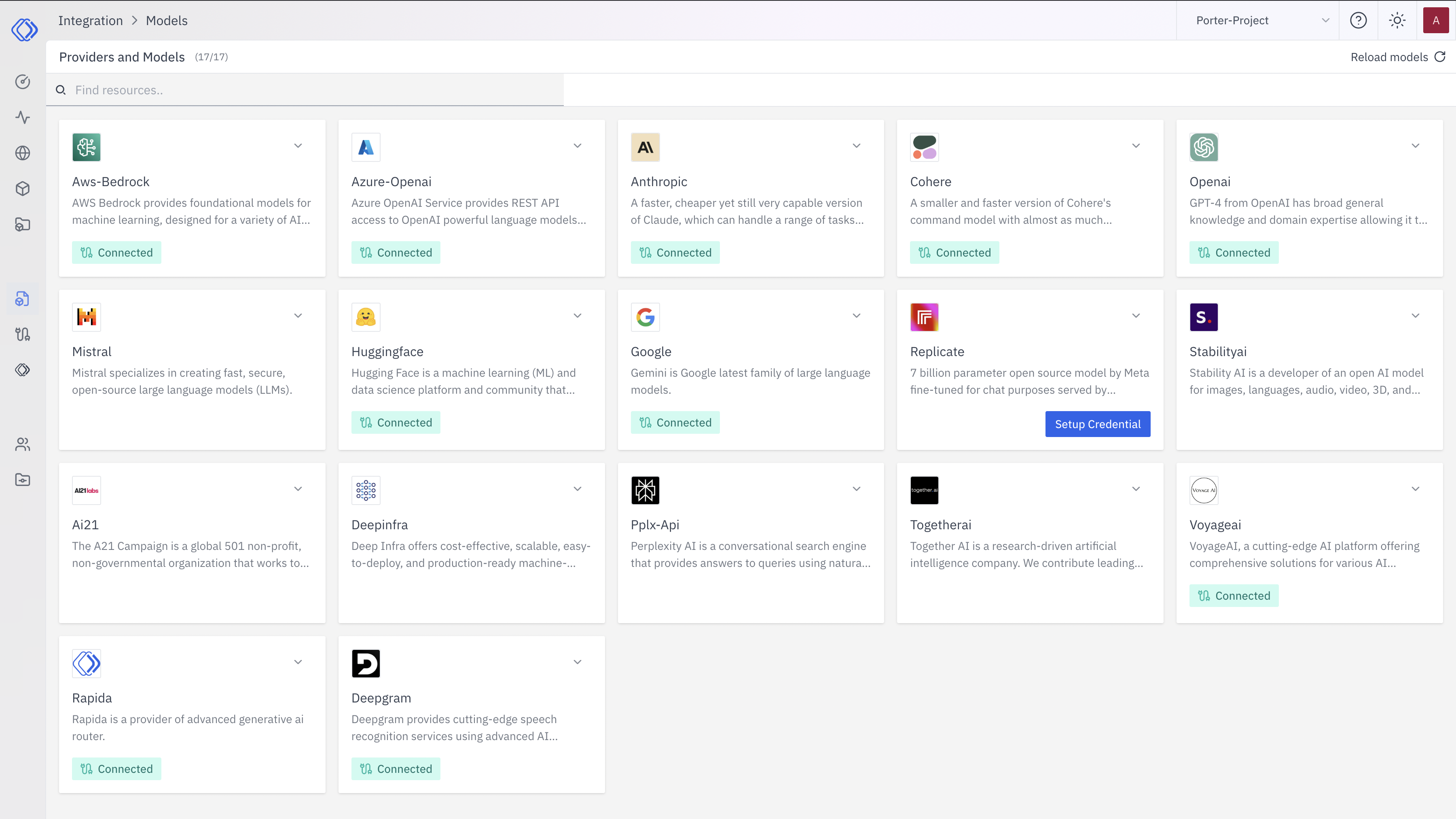
Access the Integrations Page
2
Select Hugging Face
On the Integrations page, find the Hugging Face provider card.Click the “Setup Credential” button for Hugging Face.
3
Create Provider Credential
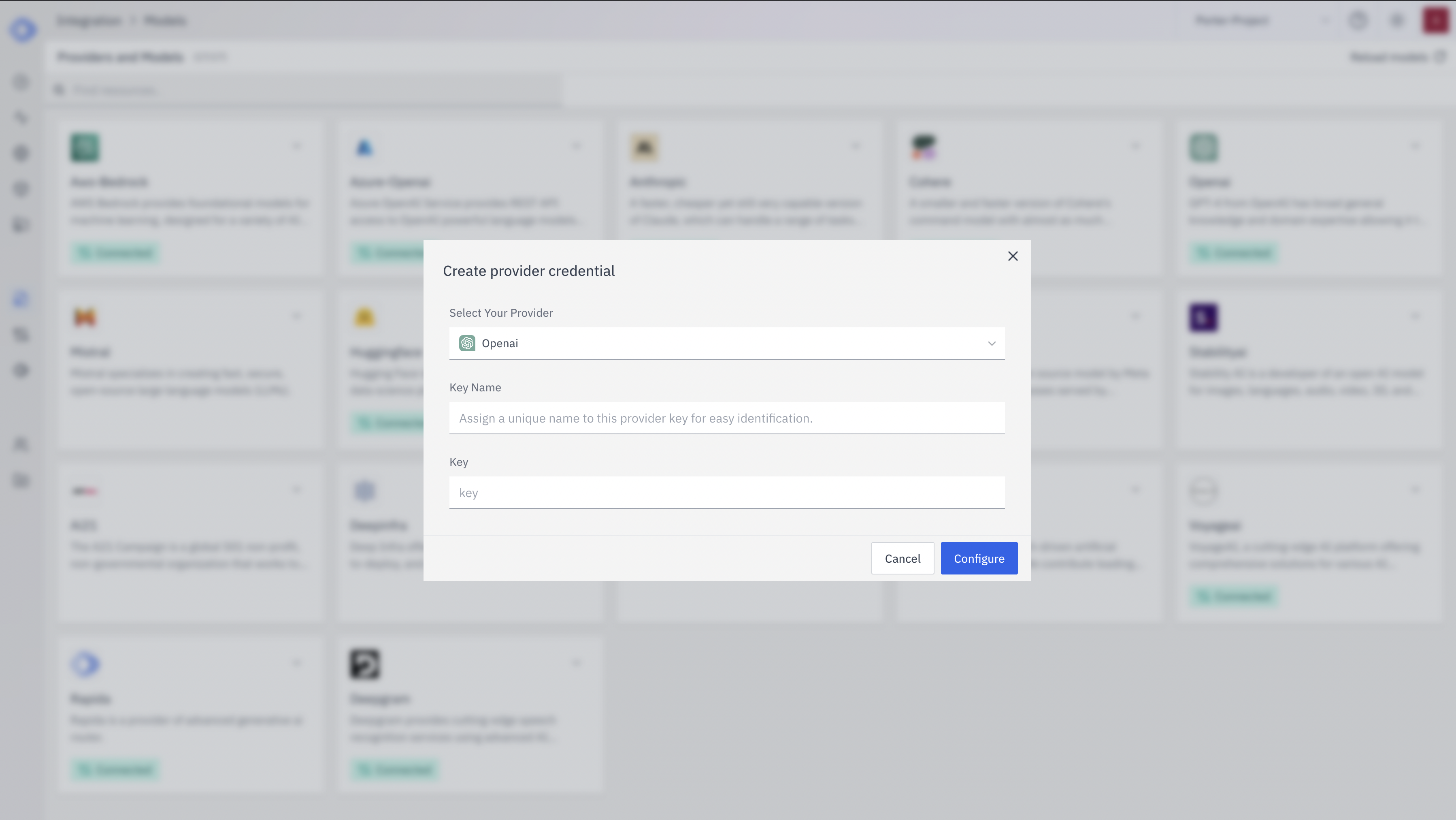
- Select “Hugging Face” from the dropdown (if not already selected)
- Enter a Key Name: Assign a unique name to this provider key for easy identification
- Enter the Hugging Face API Token: Input your Hugging Face API token
- Click “Configure” to save the credential
4
Verify Credential Setup
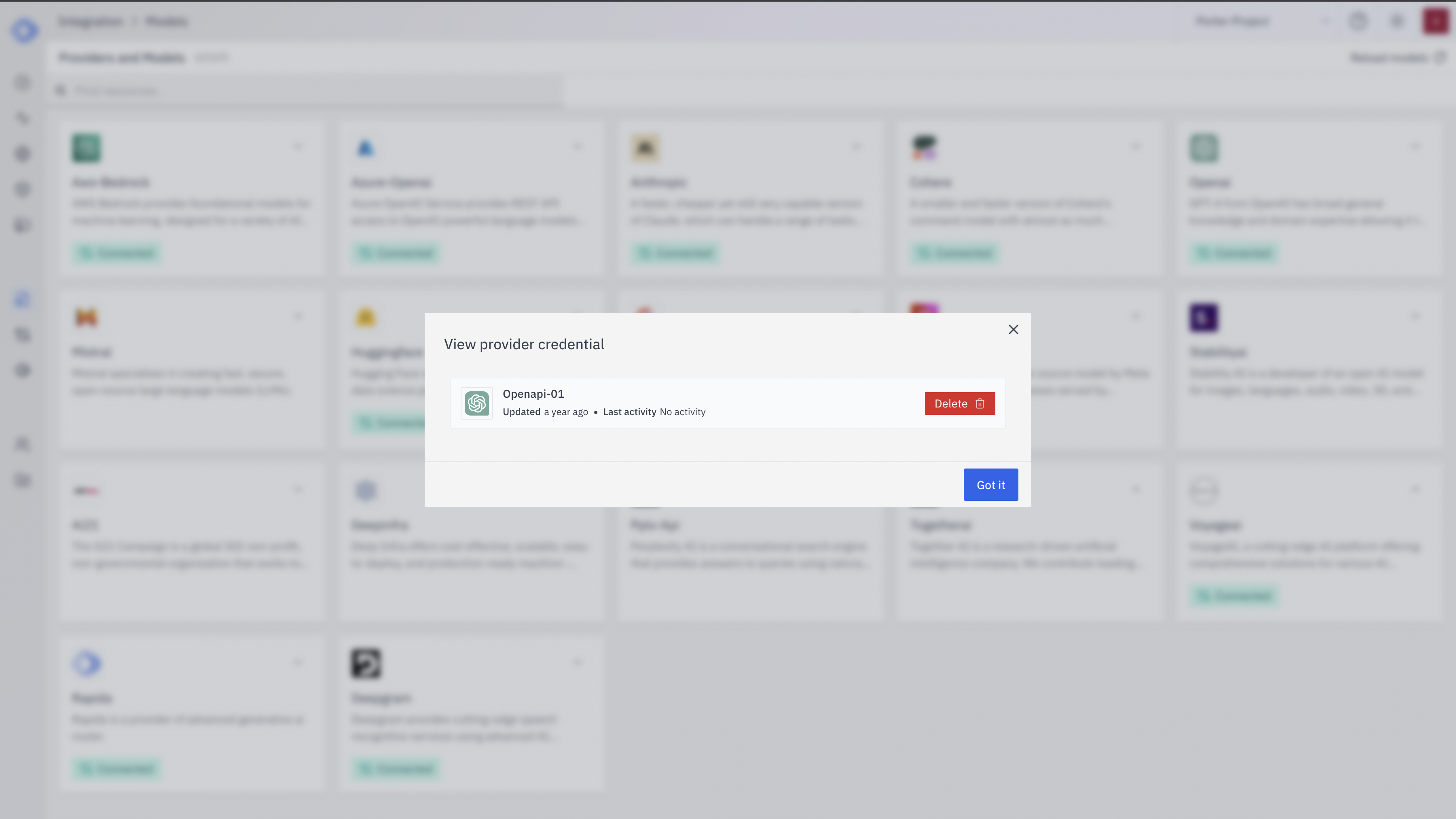
- The Hugging Face provider card should now show “Connected”
- If you click on the provider, you’ll see a “View provider credential” modal
- This modal displays the credential name, when it was last updated, and options to delete or close
Using Custom Models with Hugging Face Inference API
To use your custom models deployed on the Hugging Face Inference API:- Deploy your model to the Hugging Face Inference API through your Hugging Face account.
- Note down the model deployment endpoint URL. It typically looks like:
https://api-inference.huggingface.co/models/YOUR_USERNAME/YOUR_MODEL_NAME - When configuring your Rapida application to use this model, use the full endpoint URL as the model identifier.