

Getting Started
To integrate Google Vertex AI with your Rapida application, follow these steps:Supported Models
Google Vertex AI provides access to multiple advanced models:
Note: Available models may vary by region. Check Vertex AI documentation for the complete list.
Prerequisites
- Have a Google Cloud account
- Create a new Google Cloud Project or use an existing one
- Enable the Vertex AI API in your Google Cloud Project
- Create a service account with Vertex AI permissions
- Download the service account key (JSON file)
- Set up your Project ID and Region
Setting Up Provider Credentials
1
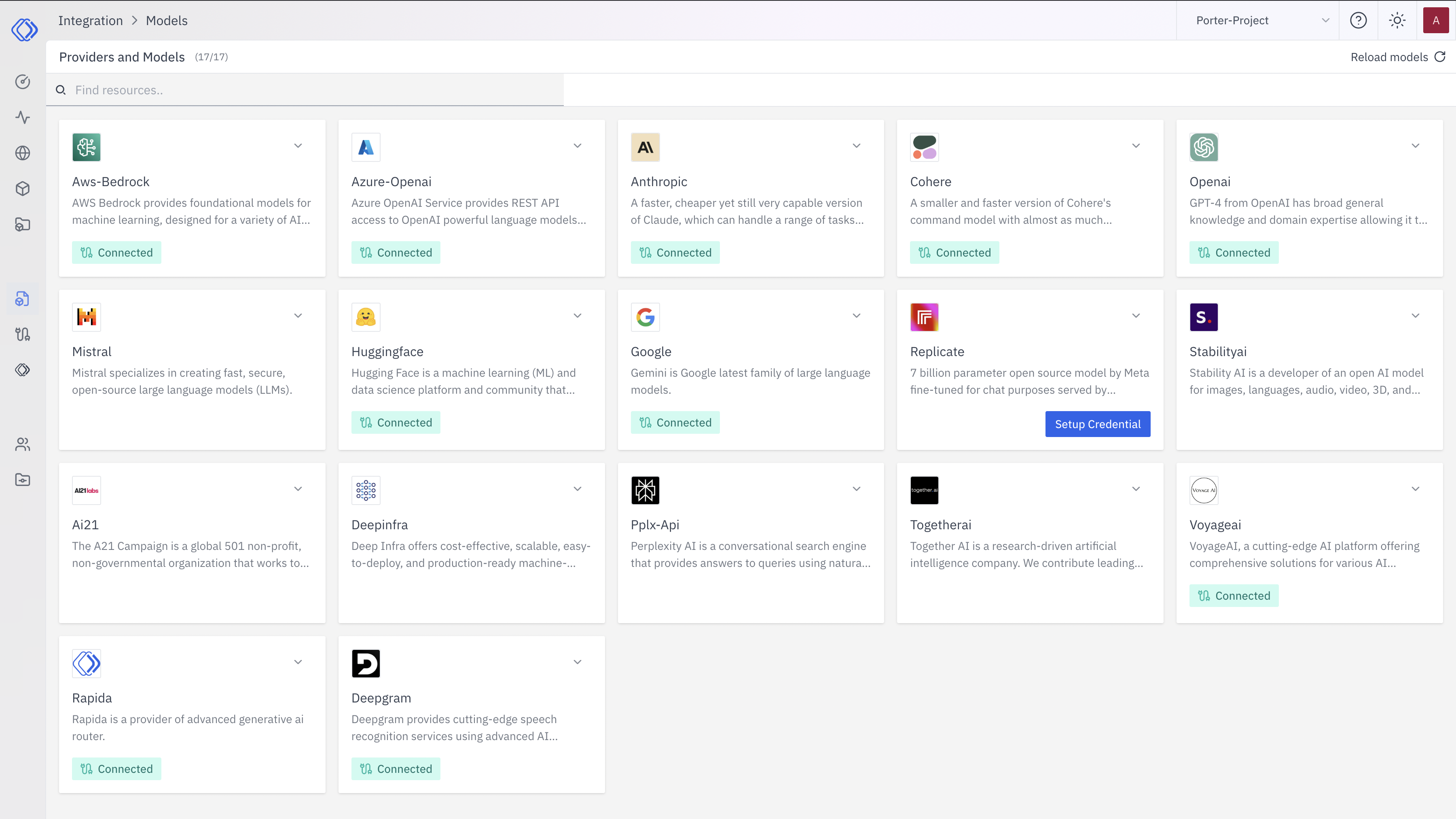
Access the Integrations Page
2
Select Google Vertex AI
On the Integrations page, find the Google Vertex AI provider card.Click the “Setup Credential” button for Google Vertex AI.
3
Create Provider Credential
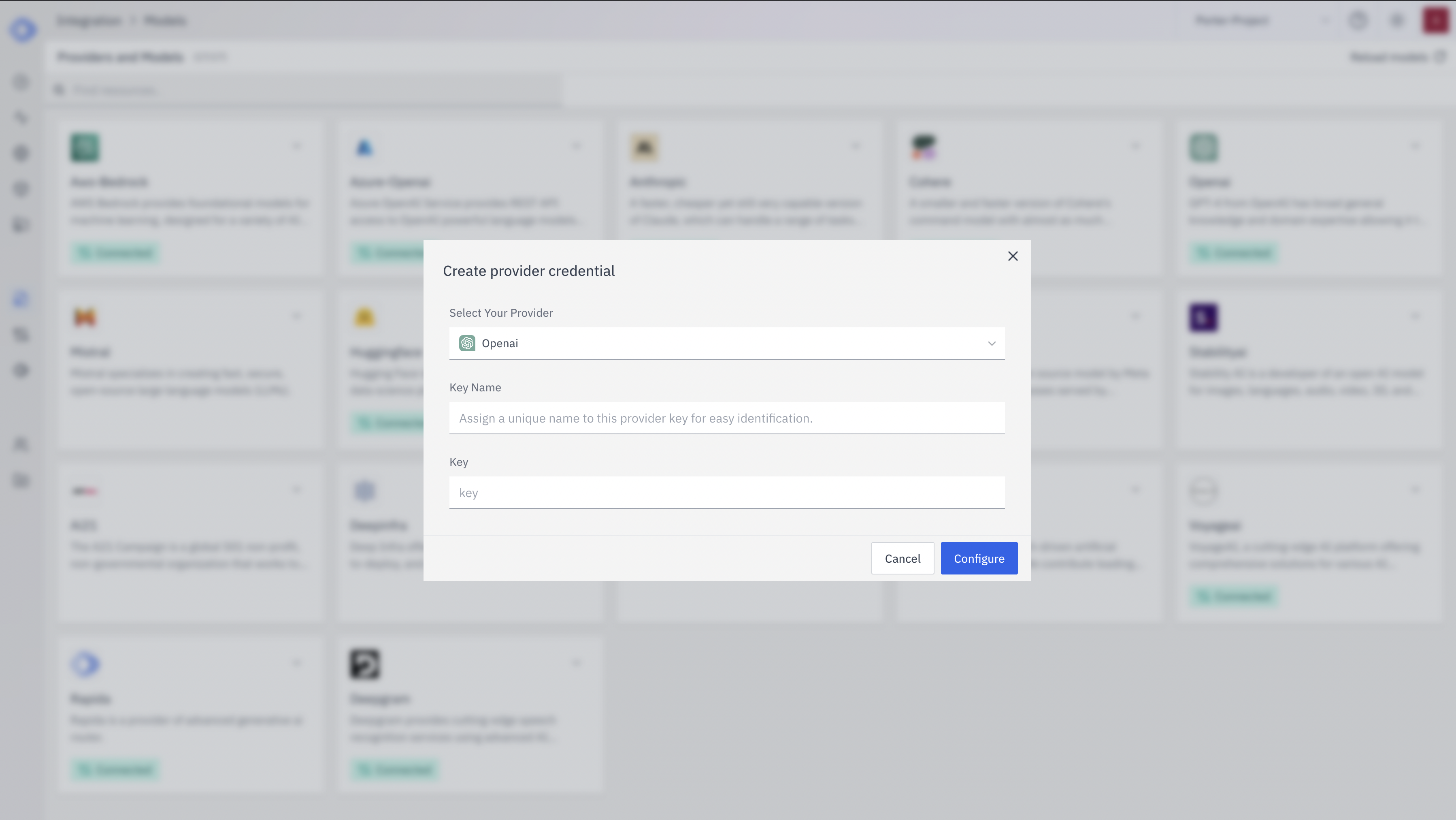
- Select “Google Vertex AI” from the dropdown (if not already selected)
- Enter a Key Name: Assign a unique name to this provider key for easy identification
- Enter Project ID: Input your Google Cloud Project ID
- Enter Region: Specify the region where Vertex AI is available (e.g., us-central1)
- Enter Service Account Key: Paste the entire JSON content of your service account key
- Click “Configure” to save the credential
4
Verify Credential Setup
After setting up the credential, you can verify it’s been added:
- The Google Vertex AI provider card should now show “Connected”
- If you click on the provider, you’ll see a “View provider credential” modal
- This modal displays the credential name, when it was last updated, and options to delete or close
Integration Features
- Enterprise-Grade: Full enterprise features and compliance
- Multi-Model Support: Access to Google’s latest models and third-party models
- Model Garden: Fine-tune and deploy custom models
- Monitoring: Built-in monitoring and logging for production deployments
- Scalability: Automatic scaling for your AI workloads