

Getting Started
To integrate Mistral with your Rapida application, follow these steps:Supported Models
Mistral offers several high-performance language models:
These models offer various capabilities and performance levels. Choose the appropriate model based on your specific use case and requirements.
Prerequisites
- Go to the Mistral platform at https://mistral.ai
- Sign up or log in to your Mistral account
- Navigate to the API section in your account dashboard
- Generate your API key
- Copy the API key (make sure to save it securely, as it won’t be shown again)
Setting Up Provider Credentials
1
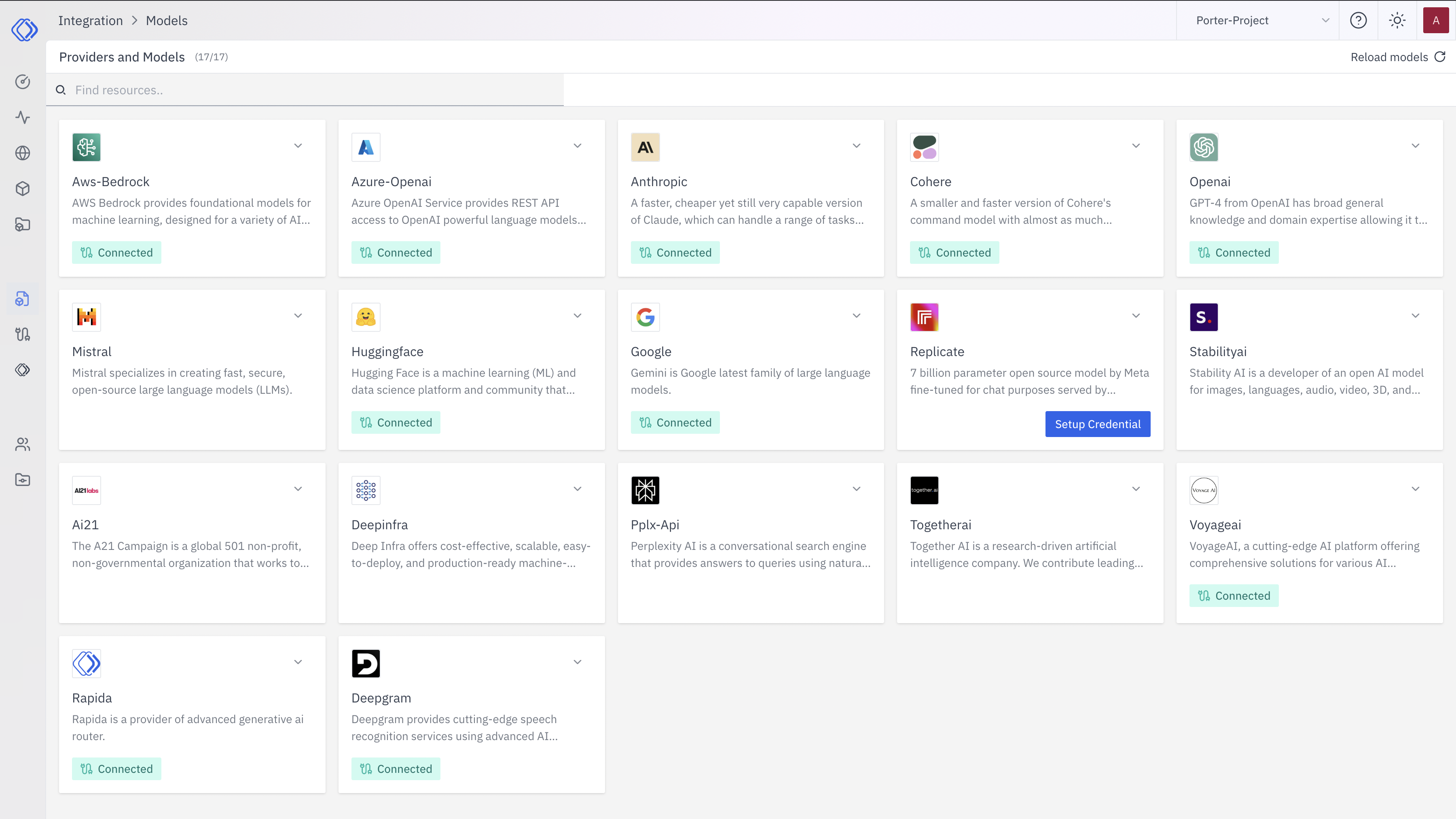
Access the Integrations Page
2
Select Mistral
On the Integrations page, find the Mistral provider card.Click the “Setup Credential” button for Mistral.
3
Create Provider Credential
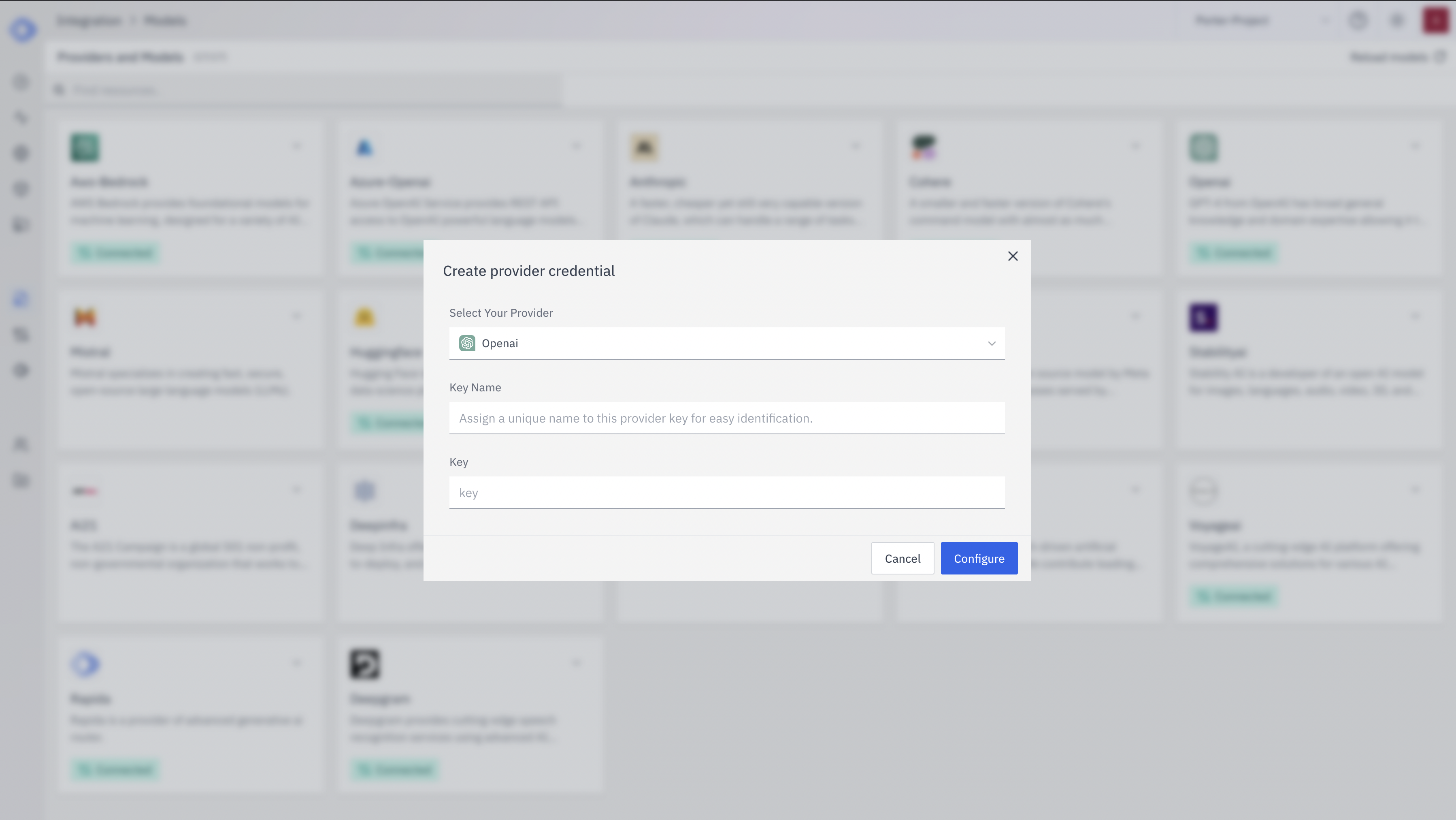
- Select “Mistral” from the dropdown (if not already selected)
- Enter a Key Name: Assign a unique name to this provider key for easy identification
- Enter the API Key: Input your Mistral API key
- Click “Configure” to save the credential
4
Verify Credential Setup
After setting up the credential, you can verify it’s been added:
- The Mistral provider card should now show “Connected”
- If you click on the provider, you’ll see a “View provider credential” modal
- This modal displays the credential name, when it was last updated, and options to delete or close
Integration Features
- Fast Inference: Optimized for quick response times
- Cost-Effective: Excellent performance-to-cost ratio
- Open-Source Options: Access to open-source models
- Multilingual Support: Support for multiple languages
- Fine-tuning: Ability to fine-tune models for specific tasks