

Getting Started
To integrate Cartesia with your Rapida application for speech-to-text (STT) and text-to-speech (TTS) capabilities, follow these steps:Supported Models
Speech-to-Text Models
Text-to-Speech Models
Supported Languages for STT
- English (US, UK, Australian variants)
- Spanish, French, German
- Mandarin, Japanese, Korean
- And more
Supported Languages for TTS
Cartesia supports 20+ languages for text-to-speech synthesis with multiple voice options.Prerequisites
- Have a Cartesia account (sign up at https://cartesia.ai)
- Navigate to your API dashboard
- Generate an API key
- Copy the API key (make sure to save it securely)
Setting Up Provider Credentials
1
Access the Integrations Page
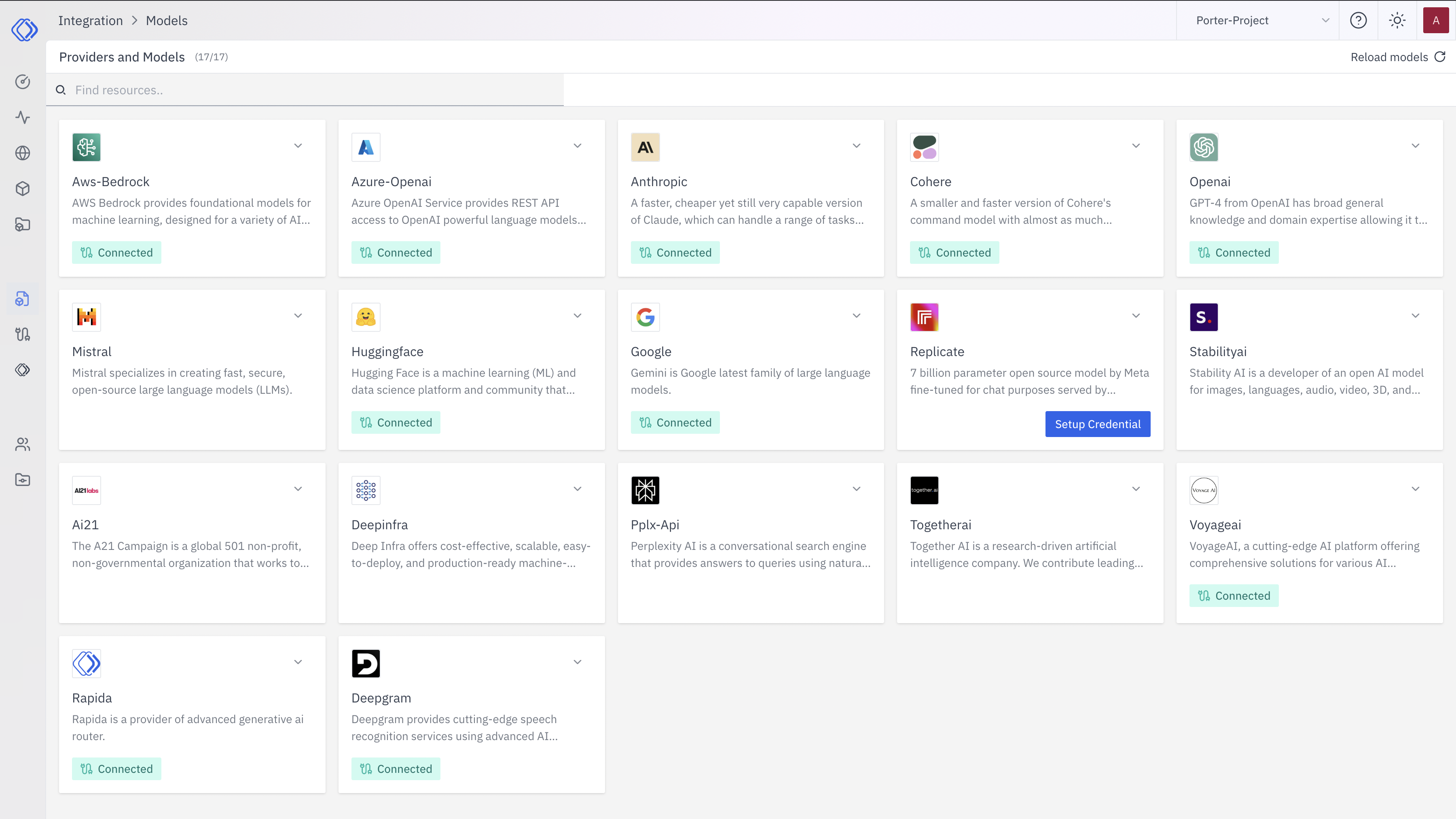
2
Select Cartesia
On the Integrations page, find the Cartesia provider card.Click the “Setup Credential” button for Cartesia.
3
Create Provider Credential
A modal window will appear titled “Create provider credential”. Follow these steps:
- Select “Cartesia” from the dropdown (if not already selected)
- Enter a Key Name: Assign a unique name to this provider key for easy identification
- Enter the API Key: Input your Cartesia API key
- Click “Configure” to save the credential
4
Verify Credential Setup
After setting up the credential, you can verify it’s been added:
- The Cartesia provider card should now show “Connected”
- If you click on the provider, you’ll see a “View provider credential” modal
- This modal displays the credential name, when it was last updated, and options to delete or close
Integration Features
- Unified Platform: Both STT and TTS in one platform
- High-Quality Audio: Professional-grade voice synthesis
- Real-time Processing: Low-latency speech processing
- Multiple Languages: Comprehensive language support
- Voice Customization: Create custom voices and speaking styles
- Streaming Support: Real-time streaming for both STT and TTS