> ## Documentation Index
> Fetch the complete documentation index at: https://doc.rapida.ai/llms.txt
> Use this file to discover all available pages before exploring further.
# Setting Up Webhooks
> Configure webhooks to receive call, conversation, and WebRTC events
This guide explains how to configure webhooks for an assistant.
Rapida provides webhooks that allow you to receive data generated during the call, WebRTC media, and assistant lifecycle. Webhooks can be triggered by call events such as `call.received`, `call.ringing`, and `call.ended`, WebRTC events such as `webrtc.connected`, `webrtc.reconnecting`, and `webrtc.failed`, or conversation events such as:
1. `conversation.begin`
2. `conversation.resume`
3. `conversation.completed`
4. `conversation.error`
Webhooks enable you to integrate assistant data with external systems, analyze conversations, and create custom workflows.
1. Go to the Assistants section in the main navigation menu.
2. Select the assistant you want to configure.
3. Click "Configure assistant" in the top right corner.
4. Select "Webhooks".
5. Click **Create new webhook** to begin configuration.
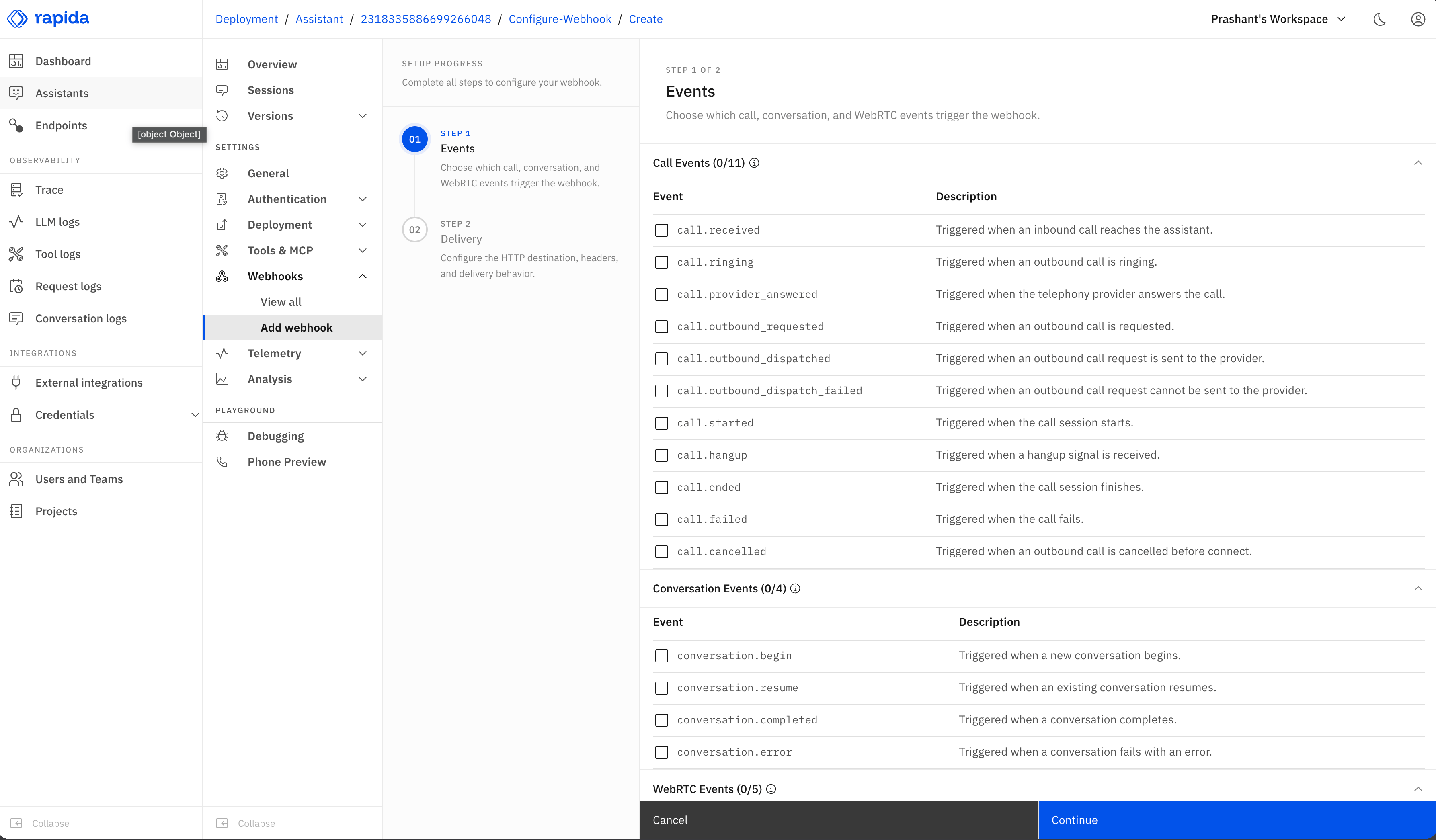
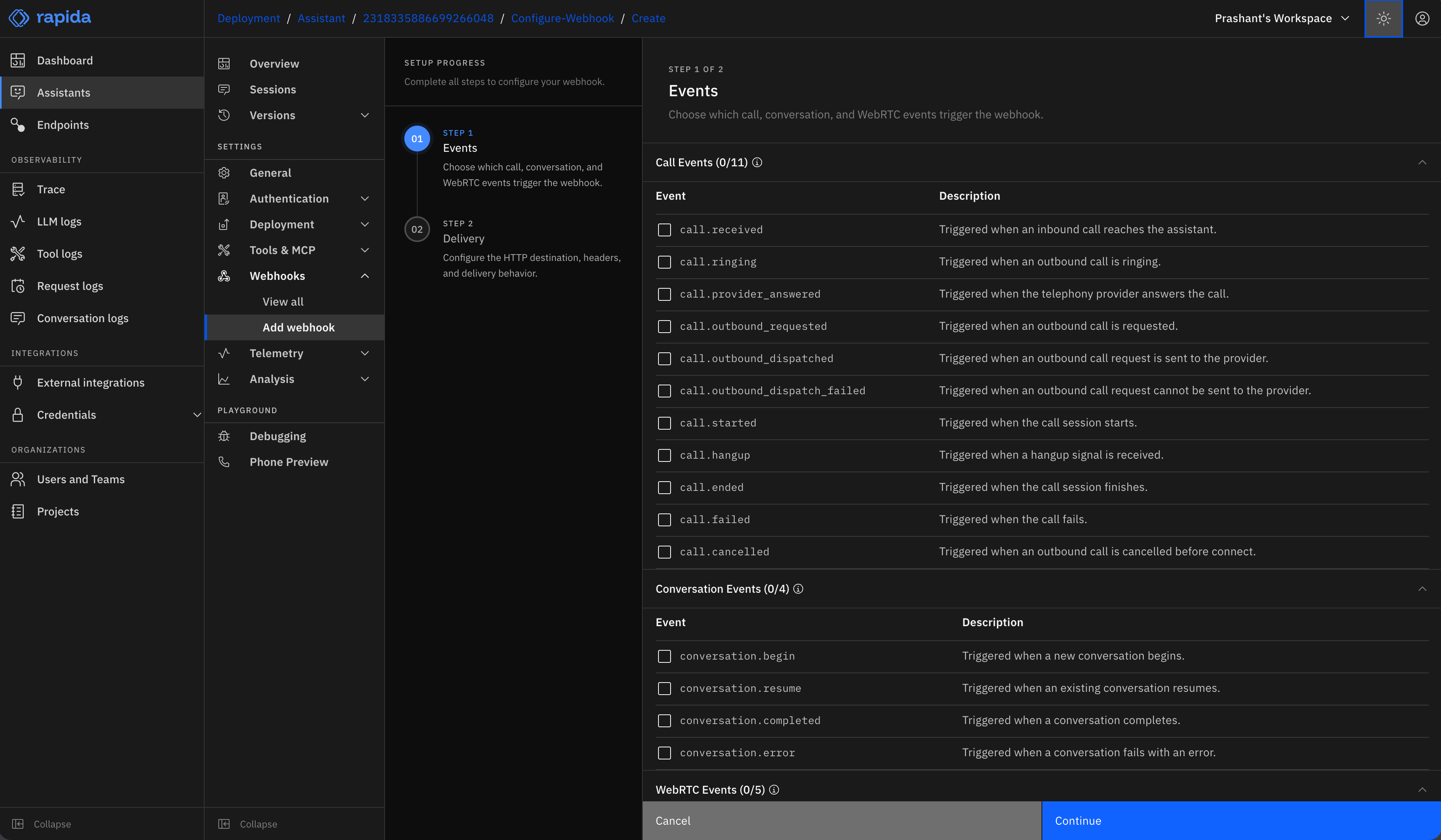 Choose which call, WebRTC, and conversation events should trigger your webhook.
**Call events**
* **Call.Received**: Sends `call.received` when an inbound call reaches the assistant
* **Call.Ringing**: Sends `call.ringing` when an outbound call is ringing
* **Call.ProviderAnswered**: Sends `call.provider_answered` when the provider answers
* **Call.OutboundRequested**: Sends `call.outbound_requested` when an outbound call is requested
* **Call.OutboundDispatched**: Sends `call.outbound_dispatched` after the provider request is sent
* **Call.OutboundDispatchFailed**: Sends `call.outbound_dispatch_failed` when the provider request fails
* **Call.Started**: Sends `call.started` when the call media session starts
* **Call.Hangup**: Sends `call.hangup` when a hangup signal is received
* **Call.Ended**: Sends `call.ended` when the call session finishes
* **Call.Failed**: Sends `call.failed` when the call fails
* **Call.Cancelled**: Sends `call.cancelled` when an outbound call is cancelled before connect
**WebRTC events**
* **WebRTC.Connected**: Sends `webrtc.connected` when the WebRTC media connection is established
* **WebRTC.AudioTrackReceived**: Sends `webrtc.audio_track_received` when the remote WebRTC audio track is received
* **WebRTC.Reconnecting**: Sends `webrtc.reconnecting` when the WebRTC media connection starts recovery
* **WebRTC.Failed**: Sends `webrtc.failed` when the WebRTC media connection fails
* **WebRTC.Disconnected**: Sends `webrtc.disconnected` when the WebRTC media connection disconnects
**Conversation events**
* **Conversation.Begin**: Sends `conversation.begin` when a new conversation is initialized
* **Conversation.Resume**: Sends `conversation.resume` when an existing conversation is resumed
* **Conversation.Completed**: Sends `conversation.completed` after finalization and post-call analysis
* **Conversation.Error**: Sends `conversation.error` when a conversation encounters an unrecoverable error
You can select multiple events depending on your use case.
Choose which call, WebRTC, and conversation events should trigger your webhook.
**Call events**
* **Call.Received**: Sends `call.received` when an inbound call reaches the assistant
* **Call.Ringing**: Sends `call.ringing` when an outbound call is ringing
* **Call.ProviderAnswered**: Sends `call.provider_answered` when the provider answers
* **Call.OutboundRequested**: Sends `call.outbound_requested` when an outbound call is requested
* **Call.OutboundDispatched**: Sends `call.outbound_dispatched` after the provider request is sent
* **Call.OutboundDispatchFailed**: Sends `call.outbound_dispatch_failed` when the provider request fails
* **Call.Started**: Sends `call.started` when the call media session starts
* **Call.Hangup**: Sends `call.hangup` when a hangup signal is received
* **Call.Ended**: Sends `call.ended` when the call session finishes
* **Call.Failed**: Sends `call.failed` when the call fails
* **Call.Cancelled**: Sends `call.cancelled` when an outbound call is cancelled before connect
**WebRTC events**
* **WebRTC.Connected**: Sends `webrtc.connected` when the WebRTC media connection is established
* **WebRTC.AudioTrackReceived**: Sends `webrtc.audio_track_received` when the remote WebRTC audio track is received
* **WebRTC.Reconnecting**: Sends `webrtc.reconnecting` when the WebRTC media connection starts recovery
* **WebRTC.Failed**: Sends `webrtc.failed` when the WebRTC media connection fails
* **WebRTC.Disconnected**: Sends `webrtc.disconnected` when the WebRTC media connection disconnects
**Conversation events**
* **Conversation.Begin**: Sends `conversation.begin` when a new conversation is initialized
* **Conversation.Resume**: Sends `conversation.resume` when an existing conversation is resumed
* **Conversation.Completed**: Sends `conversation.completed` after finalization and post-call analysis
* **Conversation.Error**: Sends `conversation.error` when a conversation encounters an unrecoverable error
You can select multiple events depending on your use case.
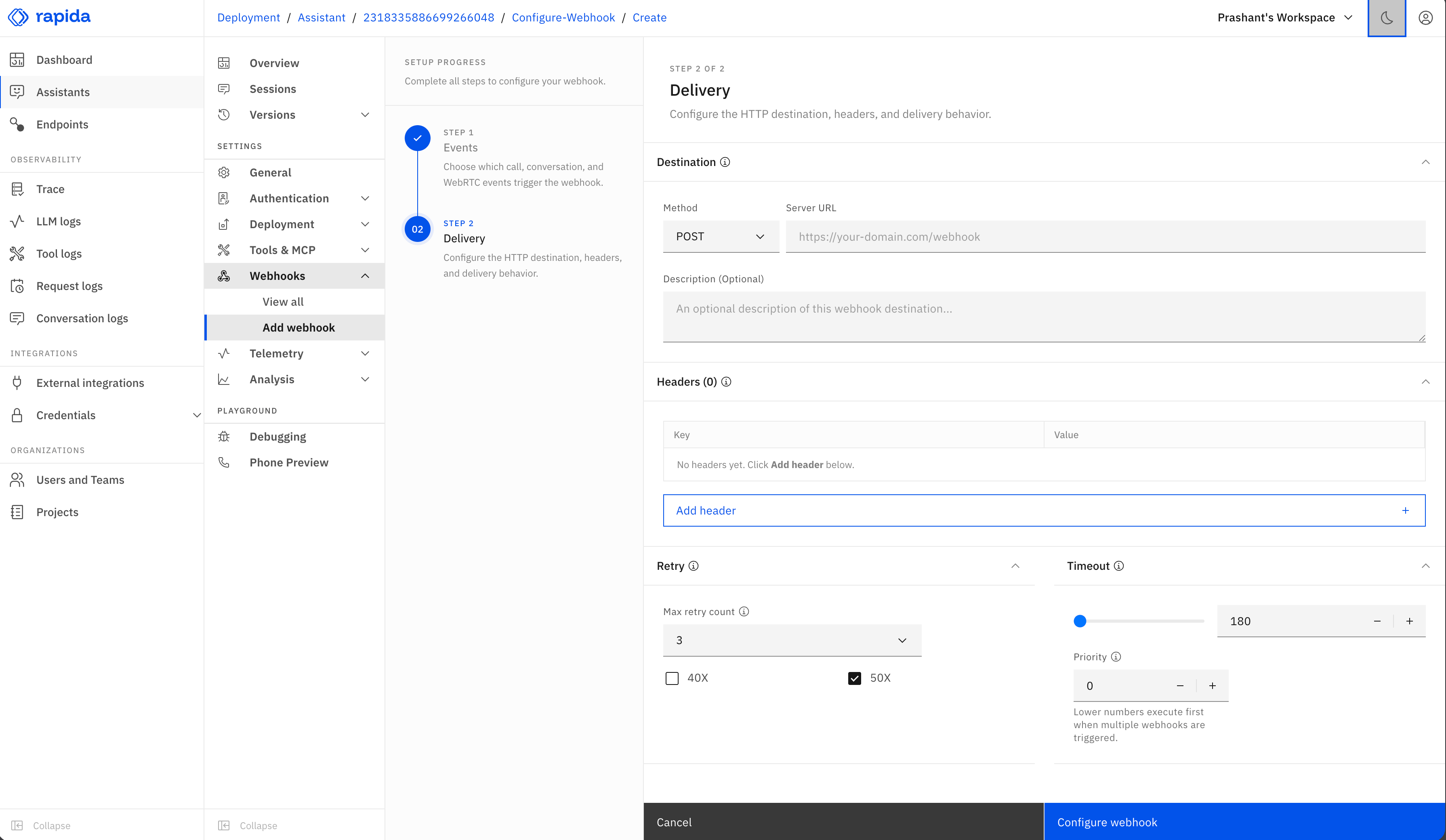
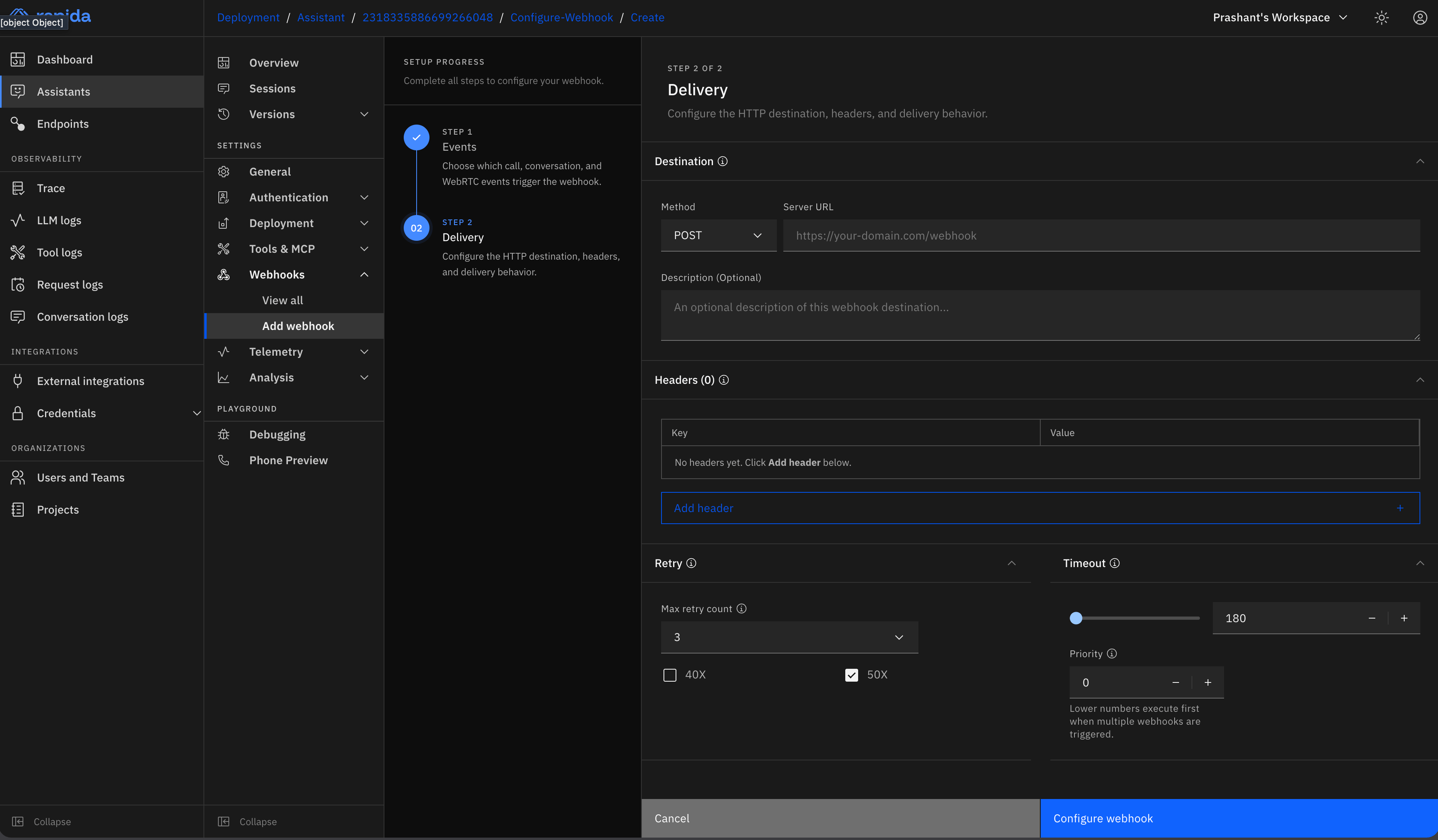 Configure where Rapida sends the webhook request:
* **Method**: Select `POST`, `PUT`, or `PATCH`.
* **Server URL**: Enter the endpoint that receives webhook requests.
* **Description**: Add an optional note for your team.
* **Headers**: Add authentication headers or integration-specific headers.
* **Retry**: Choose retry status entries and the maximum retry count.
* **Timeout**: Set how long Rapida waits for your endpoint to respond.
* **Priority**: Set execution order when multiple webhooks trigger at the same time.
Review your webhook configuration and click **Configure webhook**.
Rapida sends the standard webhook payload for each selected event. Custom request body mapping is not required.
Your webhook is now configured and will be triggered during the selected events.
## Webhook payload structure
When triggered, your webhook receives a JSON payload with an `event` field and event-specific `data`. Call events include call-specific values such as provider, direction, call status, context ID, channel UUID, failure reason, or duration when available. WebRTC events include media-session values such as `session_id`, `media_session_id`, `codec`, `ice_latency_ms`, `peer_connection_state`, `reason`, and recovery counters when available.
The default `conversation.completed` payload includes the transcript, metadata, metrics, and any successful post-call analysis output:
```json theme={null}
{
"event": "conversation.completed",
"assistant": {
"id": 2193965165215481856
},
"conversation": {
"id": 2216964057603244032
},
"data": {
"reason": "conversation_completed",
"status": "completed",
"messages": [
{
"id": "msg-user-1",
"role": "user",
"content": "hello"
},
{
"id": "msg-assistant-1",
"role": "assistant",
"content": "Hi there. How can I help?"
}
],
"metadata": {
"customer_id": "cus_123",
"analysis.conversation_summary": {
"sentiment": "positive",
"summary": "The user asked about account setup."
}
},
"metrics": [
{
"name": "conversation_status",
"value": "COMPLETE",
"description": "Status of current conversation"
}
]
}
}
```
Analysis output is only available on `conversation.completed`. If an analysis endpoint fails, Rapida still sends the completed webhook. The failed analysis result is omitted from `data.metadata`.
Configure where Rapida sends the webhook request:
* **Method**: Select `POST`, `PUT`, or `PATCH`.
* **Server URL**: Enter the endpoint that receives webhook requests.
* **Description**: Add an optional note for your team.
* **Headers**: Add authentication headers or integration-specific headers.
* **Retry**: Choose retry status entries and the maximum retry count.
* **Timeout**: Set how long Rapida waits for your endpoint to respond.
* **Priority**: Set execution order when multiple webhooks trigger at the same time.
Review your webhook configuration and click **Configure webhook**.
Rapida sends the standard webhook payload for each selected event. Custom request body mapping is not required.
Your webhook is now configured and will be triggered during the selected events.
## Webhook payload structure
When triggered, your webhook receives a JSON payload with an `event` field and event-specific `data`. Call events include call-specific values such as provider, direction, call status, context ID, channel UUID, failure reason, or duration when available. WebRTC events include media-session values such as `session_id`, `media_session_id`, `codec`, `ice_latency_ms`, `peer_connection_state`, `reason`, and recovery counters when available.
The default `conversation.completed` payload includes the transcript, metadata, metrics, and any successful post-call analysis output:
```json theme={null}
{
"event": "conversation.completed",
"assistant": {
"id": 2193965165215481856
},
"conversation": {
"id": 2216964057603244032
},
"data": {
"reason": "conversation_completed",
"status": "completed",
"messages": [
{
"id": "msg-user-1",
"role": "user",
"content": "hello"
},
{
"id": "msg-assistant-1",
"role": "assistant",
"content": "Hi there. How can I help?"
}
],
"metadata": {
"customer_id": "cus_123",
"analysis.conversation_summary": {
"sentiment": "positive",
"summary": "The user asked about account setup."
}
},
"metrics": [
{
"name": "conversation_status",
"value": "COMPLETE",
"description": "Status of current conversation"
}
]
}
}
```
Analysis output is only available on `conversation.completed`. If an analysis endpoint fails, Rapida still sends the completed webhook. The failed analysis result is omitted from `data.metadata`.